A premium wireless board built around control
The strongest reason to buy the Apex Pro TKL Gen 3 is not RGB or the small display. It is the ability to decide how each key should behave. The OmniPoint 3.0 magnetic switches let you make frequently used gaming keys extremely responsive while protecting less intentional inputs with deeper actuation.
That versatility fits more than competitive shooters. In World of Warcraft and Diablo, fast response, smooth repeated inputs, profiles, and protection against accidental presses can all matter. Hearthstone does not demand rapid movement, but the smooth switches, OLED controls, and wireless flexibility still make everyday use pleasant.
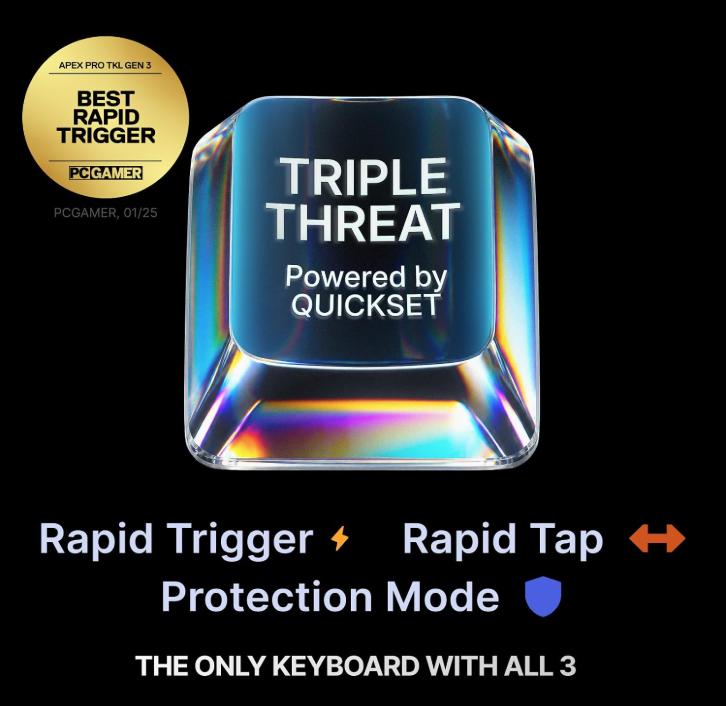
Best feature: adjustable OmniPoint 3.0 magnetic switches combined with Rapid Trigger, Rapid Tap, and Protection Mode.
The advanced features make a noticeable difference
Adjustable actuation is immediately more meaningful than a conventional one-setting mechanical switch. Rapid Trigger resets a key as it rises rather than waiting for a fixed reset point. Rapid Tap prioritizes the latest directional input, and Protection Mode reduces accidental activation around important keys.
All three systems were tested, and each worked as designed. The result is a keyboard that can feel fast without becoming uncontrollably sensitive everywhere.
Smooth switches and three height positions
The keys feel smooth, and the board remained very comfortable during long sessions. The low, medium, and high foot positions make it easier to match the keyboard angle to the desk and seating position.
The magnetic wrist rest is the more subjective part. It attaches neatly, but our tester still preferred an older memory-foam wrist rest that fits more naturally. Some buyers will like the included rest; others may replace it immediately.
Useful extras instead of decoration
The OLED display uses self-lit pixels, so text and small graphics remain sharp without a separate backlight. On this keyboard, it can show system monitoring information, custom graphics, supported game or Discord notifications, profiles, actuation settings, lighting presets, and media controls.
SteelSeries GG was straightforward during testing. That matters because a keyboard this configurable could easily become a software chore. QuickSet lowers that barrier by applying game-focused presets automatically.
What earns the price—and what does not
Pros
- Noticeably useful adjustable actuation
- Rapid Trigger, Rapid Tap, and Protection Mode work as designed
- Smooth key feel and premium construction
- Very comfortable with three height settings
- 2.4 GHz wireless plus Bluetooth
- Useful OLED controls and information
- Straightforward SteelSeries GG software
Cons
- Premium price is excessive for casual use
- Included wrist rest will not suit everyone
- No number pad for users who need one
- Many buyers may never use its deepest customization
- Advanced features still depend on software and profiles
Separate community reports from our test unit
Our 70+ hour test did not produce a major failure. Some owner reports elsewhere mention occasional 2.4 GHz reconnects, SteelSeries GG detection or firmware-update trouble, rapid battery drain, or long charging under certain settings. These reports do not affect every unit and should not be presented as problems experienced by our tester.
Why it earns 92/100
Reviewed configuration
| Model | SteelSeries Apex Pro TKL Gen 3 Wireless |
|---|---|
| Connectivity | Low-latency 2.4 GHz wireless and Bluetooth |
| Switches | OmniPoint 3.0 analog magnetic Hall Effect switches |
| Actuation range | 0.1 mm to 4.0 mm across 40 levels |
| Advanced inputs | Rapid Trigger, Rapid Tap, and Protection Mode |
| Layout | Tenkeyless (TKL) |
| Display | OLED Smart Display |
| Keycaps | Double-shot PBT |
| Lighting | Per-key RGB with Prism Sync support |
| Tested games | World of Warcraft, Diablo, and Hearthstone |
| Testing time | 70+ hours |
Best for enthusiasts who will actually tune it
The Apex Pro TKL Gen 3 Wireless is best for competitive players, MMO and action-RPG players, streamers, and enthusiasts who want maximum control over key response. It is especially compelling for someone who plays several genres and wants different sensitivity or protection rules for different games.
Budget-conscious buyers, number-pad users, casual players who never change defaults, and anyone specifically seeking a tactile or clicky traditional mechanical feel should look elsewhere.
One of the strongest premium wireless gaming keyboards
The Apex Pro TKL Gen 3 Wireless earns its 92/100 through performance rather than spectacle. The smooth switches, premium build, comfortable angle options, useful OLED, and straightforward software are strong—but the real advantage is control. Its adjustable actuation and three advanced input modes make the keyboard meaningfully adaptable.
It is expensive and unnecessary for many casual players. For serious gamers who will use its profiles and tuning, however, it is easy to recommend.
See more coverage in our gaming keyboard reviews and buying advice, or read how the Forge Rating is calculated.
Check Price on AmazonCheck Price at Newegg