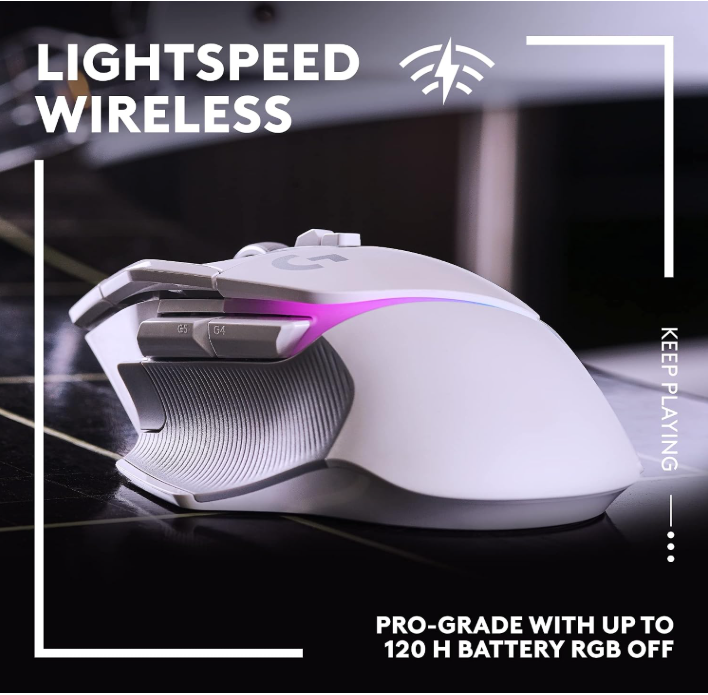
One mouse, four very different games
The G502 X Plus was used wirelessly for more than 55 hours in World of Warcraft, Hearthstone, Diablo, and Overwatch. That mix matters because each game asks something different from a mouse. World of Warcraft rewards extra shortcuts and repeatable layouts. Diablo benefits from rapid access to abilities and movement commands. Overwatch puts more pressure on tracking and responsiveness. Hearthstone is calmer but exposes whether the mouse remains pleasant for long, ordinary sessions.
Across those situations, the connection did not drop and no input lag was noticed. The mouse felt responsive without forcing the tester into one genre or one button arrangement.
Best strength: it adapts. The G502 X Plus gives players enough controls for complex games without turning the entire left side into a 12-button MMO grid.
Balanced at 106 g—not ultralight, not clumsy
At 106 g, the G502 X Plus is heavier than modern ultralight competitive mice. Calling it “light” by current esports standards would be misleading. In actual use, however, the weight felt balanced. The ergonomic right-handed shape spreads that weight well, and long sessions remained comfortable.
Players who demand the lowest possible mass for rapid flicks should still choose an ultralight design. Players who value stability, extra controls, a substantial scroll wheel, and a sculpted grip may prefer the G502 X Plus precisely because it does not feel hollow or fragile.
Thirteen programmable actions without an MMO thumb grid
The current redesign supports 13 programmable controls, including additional configurable inputs and the reversible or removable DPI-shift thumb paddle. During testing, several different setups were used for different games and situations rather than forcing one universal layout.
That is the correct way to think about this mouse. It is not simply “a mouse with many buttons.” It is a control platform that can become more ability-focused in World of Warcraft or Diablo, then shift toward a cleaner layout for Overwatch or everyday use.
Logitech G HUB was not personally evaluated during this test, so this review does not score the software experience itself. The rating reflects the hardware, wireless behavior, controls used in play, comfort, scrolling, responsiveness, and battery experience.
Ratcheting when precision matters, infinite when momentum helps
The redesigned wheel can switch between ratcheting and free-spinning modes. The tester changed modes depending on the game and situation. Ratcheting gives deliberate, step-by-step movement. Infinite scrolling removes the stopping momentum and lets the wheel continue moving through longer lists, menus, pages, or repeated navigation.
This is one of the G502 family’s most practical features because the difference is immediately understandable. It is not a benchmark number hidden in software; it changes how the mouse behaves every day.
More than 50 hours without reaching for the cable
The test unit had not needed a charge after more than 50 hours of use, and no slowdown or wireless lag was noticed. That is the most useful battery result we can report: not a laboratory maximum, but the fact that charging never became part of the ownership routine during the test window.
POWERPLAY compatibility was not tested, and the mouse was not used with a POWERPLAY charging mat. USB-C charging also had not yet been necessary. RGB battery life varies with brightness, effects, and usage, so manufacturer maximums should not be treated as guaranteed real-world hours.
Not necessary—still genuinely cool
RGB does not improve accuracy or win games. It is still part of the appeal. The tester personally prefers keyboards, mice, and speakers that light up, so the lighting has real aesthetic value even if “useful” is the wrong word.
The lighting makes the white model especially distinctive. Buyers who dislike RGB can reduce or disable it to conserve battery; buyers building a coordinated setup will likely see it as part of the product rather than wasted decoration.
What earns the score—and what does not
Pros
- Stable wireless with no drops or noticeable lag
- Ergonomic shape remained comfortable
- Balanced 106 g body
- 13 programmable controls
- Useful ratcheting and infinite-scroll modes
- Excellent battery experience during testing
- Responsive across four different games
- Attractive LIGHTSYNC RGB
Cons
- Too heavy for true ultralight-mouse buyers
- Many controls may be excessive for minimalist users
- Deep configuration depends on software
- G HUB was not tested in this review
- POWERPLAY adds cost and was not tested
- RGB reduces maximum battery endurance
Why it earns 91/100
Reviewed configuration
| Model | Logitech G502 X Plus Wireless RGB Gaming Mouse |
|---|---|
| Color | White |
| Connectivity | LIGHTSPEED wireless; USB-C charging |
| Sensor | HERO 25K, up to 25,600 DPI |
| Controls | 13 programmable actions |
| Primary switches | LIGHTFORCE hybrid optical-mechanical |
| Scroll wheel | Dual-mode ratcheting and free-spinning |
| Weight | 106 g; felt balanced in testing |
| Lighting | LIGHTSYNC RGB |
| Charging | USB-C; POWERPLAY compatible but not tested |
| Tested games | World of Warcraft, Hearthstone, Diablo, Overwatch |
| Testing time | 55+ hours |
Best for players who change games without changing mice
The G502 X Plus is best for PC players who move between MMOs, action RPGs, shooters, strategy or card games, and general desktop use. It suits someone who wants a sculpted ergonomic shape, extra inputs, a genuinely useful scroll wheel, stable wireless, and visible RGB.
Skip it when your highest priority is the lightest possible competitive mouse, a symmetrical ambidextrous shape, or a minimalist two-button setup. MMO players who require a full 12-button thumb grid may still prefer the Naga V2 Pro.
A versatile mouse that earns its controls
The Logitech G502 X Plus succeeds because its features do not all serve the same narrow purpose. The buttons adapt to different games. The scroll wheel changes between deliberate steps and effortless momentum. The balanced body supports long sessions, the wireless connection stayed invisible in the best possible way, and the battery never forced an interruption during more than 50 hours.
It is not the lightest mouse and it is not the cheapest way to click accurately. It is one of the strongest choices for a player who wants one responsive, comfortable, customizable mouse to cover several kinds of gaming.