Razer Naga V3 Pro Review
After more than 130 hours across World of Warcraft, Overwatch, and Hearthstone, the Naga V3 Pro has moved well beyond a first impression. It remains more responsive than the V2 Pro, the 6-button plate is still our daily default, and the lower weight has become one of the biggest quality-of-life improvements during long MMO sessions.
Quick Verdict
The Naga V3 Pro is expensive, but the responsiveness, comfort, magnetic side plates, scroll modes, and multi-genre flexibility justify the premium for serious players who will actually use them. Casual players can spend far less and be perfectly happy.
Razer Naga V3 Pro Up Close
Compact previews keep the review clean. Click any card to open the full-resolution image.
Yes, it feels better than the V2 Pro
The improvement is not theoretical. It showed up during actual play.
The first thing that stood out was responsiveness. The V3 Pro feels quicker and more immediate than the Naga V2 Pro. In World of Warcraft it felt better all around, and in Overwatch the improvement was even easier to notice.
Given the choice between the two, we would keep the V3 Pro.
The 6-button plate is the sweet spot
The famous 12-button MMO grid is not mandatory.
Why 6 buttons worked
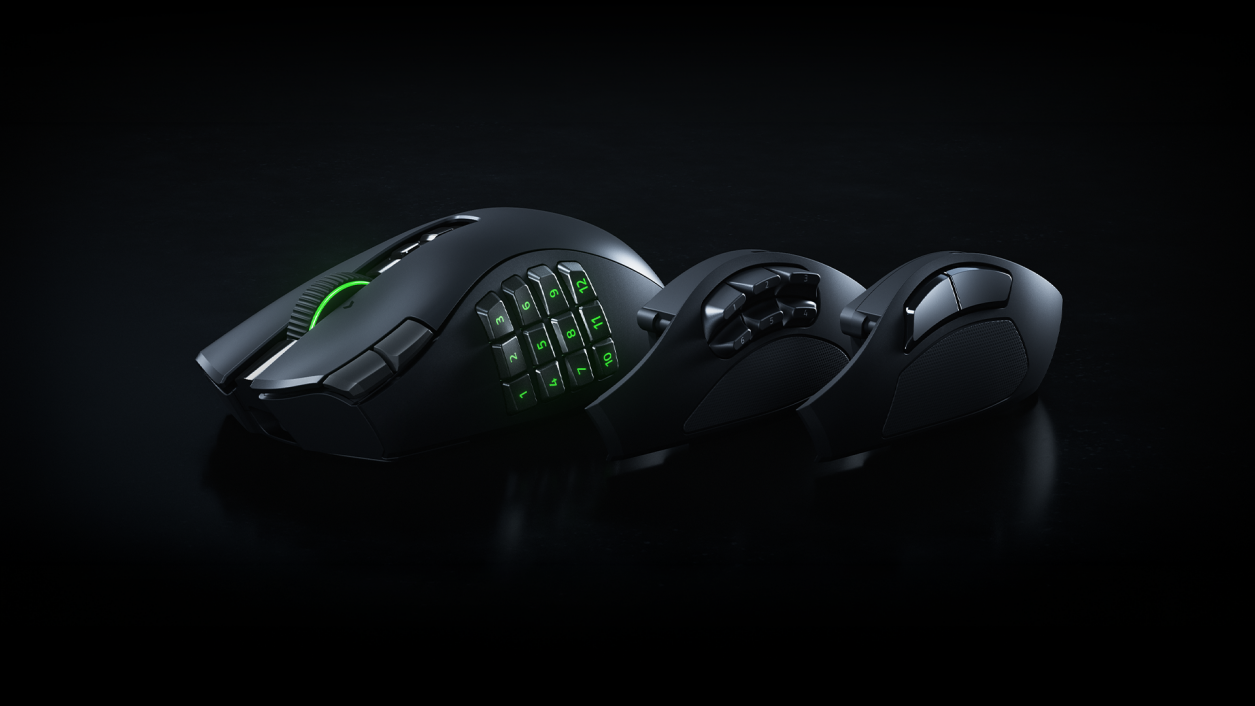
The 6-button plate gave us enough extra controls for WoW and general gaming without turning the entire thumb area into a keypad. The magnetic plate system is genuinely easy to swap depending on the game.
The low-light problem
The biggest personal annoyance is that the 6-button plate has no backlighting. We play mostly in low light, so this matters more than it might on a brightly lit desk. At this price, we wish Razer illuminated the 6-button layout too.
The weight drop is one of the biggest upgrades
Going from the V2 Pro's 134 g class down to roughly 117 g is immediately noticeable over long sessions.
The reduction from about 134 g on the V2 Pro to roughly 117 g on the V3 Pro is one of the most noticeable changes in actual use. We run the 6-button plate most of the time, and our setup is around 115 g. During long World of Warcraft sessions, that lower weight is definitely less fatiguing. We still personally like lighter mice for very fast games, but after 130+ hours the V3 Pro no longer feels like a heavy MMO mouse in the same way the V2 Pro does.
24-step for RPGs. 48-step for shooters.
The new wheel modes ended up having practical roles instead of being novelty settings.
24-step tactile
Our preference for role-playing games. The more deliberate feel matched slower, intentional control better.
48-step tactile
Our preference for shooters. The finer steps felt better when quicker, more precise wheel input mattered.
The lock matters when the session gets intense
It is a small control that becomes more useful when accidental presses are more likely.
The lockable ring-finger button has become more valuable over time. During intense sessions, when grip pressure changes and accidental clicks are more likely, being able to lock that input keeps it from firing when we do not want it. We were already glad to see the button return; after extended testing, the lock is the part that makes the feature feel properly thought through.
122 hours on 2.4 GHz before we recharged
We finally have a real measured runtime from our own use.
Connection
Normal 2.4 GHz play stayed stable throughout the test. At about 122 hours, we started noticing response issues. We recharged the mouse, and responsiveness returned to normal immediately afterward.
Battery
Our first extended 2.4 GHz run reached 122 hours before recharge. That is our measured experience, not a manufacturer estimate. Because the response issues appeared near the end of that run and disappeared after charging, we now treat 122 hours as the practical point where we chose to recharge during this test.
The software caused the problems
The hardware was more reliable than the companion software.
We encountered two separate “loading all presets” loops and one random software disconnect. Exiting Synapse fixed the problem each time. None of these issues turned into persistent mouse hardware failures, but premium hardware deserves a cleaner software experience.
What Razer changed underneath
These are manufacturer specifications, separate from our hands-on impressions.
| Official specification | Razer Naga V3 Pro |
|---|---|
| Sensor | Focus Pro 50K Optical Sensor Gen-3 |
| Connectivity | HyperSpeed Wireless, Bluetooth, wired |
| Side plates | 12-button, 6-button, 2-button magnetic plates |
| Programmable controls | Up to 23 / 17 / 13 depending on plate |
| Switches | Optical Mouse Switches Gen-4 |
| Scroll wheel | HyperScroll Tilt Wheel Gen-2 with 24-step, 48-step, free-spin, Smart-Reel |
| Weight | About 117 g base mouse |
Where it worked best
The V3 feels more multi-genre than the Naga stereotype suggests.
World of Warcraft
The strongest fit. Better all around than the V2 Pro in our testing, with excellent comfort and faster response.
Overwatch
The improved responsiveness was especially noticeable here. We still like lighter mice personally, but the V3 handled shooters better than the V2.
Hearthstone
Far more mouse than the game requires, but comfortable and precise with no practical downside beyond owning more hardware than necessary.
Who should actually spend this much?
The price makes sense only when the features matter to you.
Buy it if
- You are a hardcore MMO or multi-genre player
- You will actually use the side-plate system
- You switch between RPGs and shooters
- You already like the Naga shape
- You want one premium mouse instead of several specialized mice
- You own a V2 Pro and want a more responsive upgrade
Skip it if
- You are a casual player
- You only need two side buttons
- You strongly prefer ultralight mice
- You will never swap the side plates
- You do not want to pay premium pricing for flexibility
94/100 — The strongest Naga we’ve tested
The Naga V3 Pro keeps what already worked—comfort, modular side plates, MMO-friendly control—and improves responsiveness enough that it feels better outside MMOs too.
The 6-button plate should have lighting. Synapse gave us two preset-loading loops and one random disconnect. And the price is steep for anyone who will not use the mouse’s flexibility.
For serious players, though, the conclusion is simple: given the choice between the Naga V2 Pro and Naga V3 Pro, we are keeping the V3.