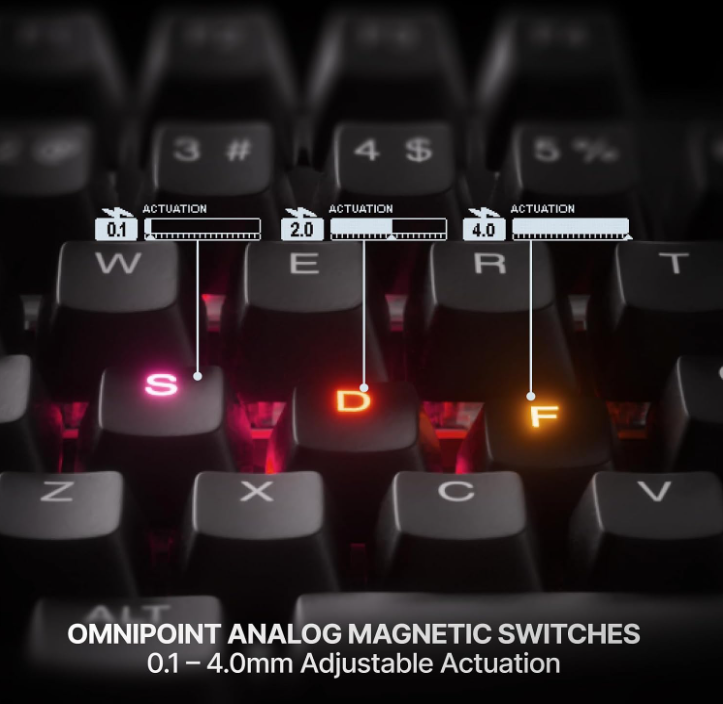
Start conservative, then tune only the keys that benefit
After 70+ hours with the Apex Pro TKL Gen 3, the best settings were not “everything at minimum actuation.” A better starting point is moderate actuation overall, faster movement and repeated-action keys where useful, and deeper actuation around expensive mistakes. Rapid Trigger works, but in our testing the gaming advantage was only slight.
Practical starting points
- World of Warcraft: keep movement responsive, rotational keys moderate, and major cooldowns deeper.
- Diablo: faster repeated abilities and movement; slightly deeper long-cooldown skills.
- Hearthstone / typing: balanced settings; extreme actuation adds little.
Start with three simple profiles
Fast gaming
Use roughly 0.1–0.8 mm on movement and frequently tapped keys. Enable Rapid Trigger where quick reset matters.
Balanced gaming
Use roughly 1.0–1.8 mm for most abilities and general play. This keeps the board responsive without feeling hair-trigger.
Typing and everyday use
Use roughly 2.0–3.0 mm for a calmer feel and fewer accidental presses while writing, browsing, or working.
Protected inputs
Use deeper actuation on major cooldowns, utility keys, or anything you do not want to trigger accidentally.
Recommended actuation by key type
| Key group | Suggested range | Why |
|---|---|---|
| WASD movement | 0.1–0.8 mm | Fast response and quick direction changes. |
| Common abilities | 0.8–1.5 mm | Responsive without making every press overly sensitive. |
| Major cooldowns | 1.8–3.0 mm | More deliberate activation reduces accidental use. |
| Typing keys | 2.0–3.0 mm | Calmer everyday feel with fewer unintended presses. |
| Media and utility | 2.5–4.0 mm | These keys rarely need instant response. |
Rapid Trigger: where to use it
Rapid Trigger is most useful on movement keys, repeated inputs, and actions where reset speed matters. It does not need to be enabled on every key.
Leaving it off on major cooldowns and rarely used utility keys can make the board easier to control.
Protection Mode: use it around expensive mistakes
Protection Mode is useful around keys that sit next to major cooldowns, ultimates, or abilities with long recovery times. It helps reduce surrounding accidental presses without forcing the entire keyboard into deeper actuation.
Do not overdo sensitivity
Setting every key to 0.1 mm can make the keyboard feel impressive for five minutes and exhausting afterward. Fast settings work best when applied selectively.
Best settings for World of Warcraft
For WoW, keep movement fast, rotational keys moderately responsive, and major cooldowns deeper. Protection Mode can help around dense keybind clusters.
Players with multiple classes or specs should save separate profiles rather than forcing one setup to work for everything.
Best settings for Diablo
Use a faster setting for frequently repeated abilities and movement, then keep longer-cooldown skills slightly deeper. Smooth keys and quick reset can make repeated inputs feel cleaner.
Best settings for Hearthstone and typing
Hearthstone does not need extreme actuation. A balanced or typing profile is usually more comfortable. The OLED, media controls, and wireless flexibility remain useful even when the advanced gaming modes are not essential.
Final recommendation
Start conservative, then lower actuation only on keys that genuinely benefit. The Apex Pro TKL Gen 3 is at its best when it feels customized—not uniformly hypersensitive.
Keep researching before you buy
Read our full Apex Pro TKL Gen 3 review, our worth-it verdict, or compare it with the Razer Pro Type Ergo.