Do You Need 12 Buttons on an MMO Mouse for World of Warcraft?
A 12-button thumb grid gives you enormous control depth, but it is not automatically the best layout for every World of Warcraft player. Comfortable reach and reliable muscle memory matter more than filling every physical button.
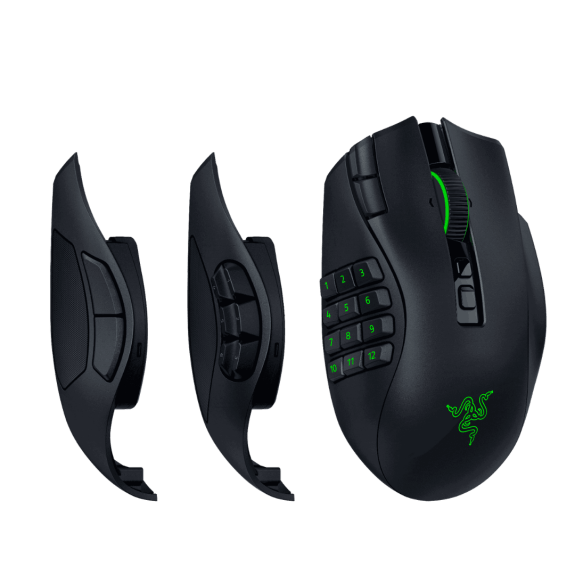
No. You do not need all 12 side buttons to play WoW well.
Use the number of buttons you can reach reliably. For many players, six side buttons plus Shift or Ctrl modifiers are easier to learn and just as practical as forcing all 12 buttons into the rotation.
Six Good Buttons Beat Twelve Awkward Ones
A side button only helps if you can hit it quickly without thinking. If buttons 7 through 12 force you to curl your thumb, change your grip, or look down at the mouse, those inputs are not helping yet.
The practical starting point is to use the buttons that feel natural and add modifiers. Six physical buttons combined with Shift or Ctrl can cover far more commands than many players need while keeping the thumb in a comfortable zone.
Which Side-Button Layout Makes Sense?
| Layout | Best for | Tradeoff |
|---|---|---|
| 2 buttons | Simple specs, shooters, players who keep most binds on the keyboard | Limited thumb access for large action bars |
| 6 buttons | Mixed WoW + other games, modifier users, players who want easy reach | May require Shift/Ctrl for very large bind sets |
| 12 buttons | Players who want maximum thumb access and are willing to build muscle memory | More learning, smaller targets, harder reach for some hands |
After 130+ hours with the Naga V3 Pro, the 6-button plate is still our preferred setup. It is enough to matter in World of Warcraft while still feeling natural when moving into Overwatch, and the roughly 115 g setup we use is noticeably less fatiguing during long MMO sessions. That is a good example of why “more buttons” and “better setup” are not the same thing.
Put High-Frequency Commands Where Your Thumb Can Find Them
There is no universal WoW binding map because classes and players are different. A useful approach is to reserve the easiest mouse positions for abilities you press frequently or need while moving, then keep longer cooldowns, menus, and low-frequency utility on the keyboard.
Good mouse candidates
- Core rotational abilities
- Interrupts
- Movement or mobility abilities
- Frequently used defensives
- Targeting or utility you need while moving
Good keyboard candidates
- Long cooldowns
- Rare utility
- Menus and non-combat commands
- Abilities already sitting on comfortable nearby keys
- Anything that causes accidental presses on the mouse
Shift and Ctrl Can Be Better Than Reaching for Button 12
If six side buttons are comfortable, modifiers turn them into multiple layers without forcing the thumb farther down the grid. A six-button plate with one modifier gives you 12 commands. Add a second modifier and the same six physical buttons can represent 18.
The downside is mental complexity. The best version is not the one with the highest theoretical number of binds. It is the one you can use under pressure without stopping to remember which layer you are on.
You Can Play WoW Extremely Well Without Using All 12
A 12-button MMO mouse can be fantastic once the grid becomes muscle memory, especially for players with large ability sets. It is not a requirement for serious play.
If six buttons feel natural, use six. If two buttons plus a strong keyboard layout work for you, use two. The goal is not to fill the mouse. The goal is to make your most important commands easier to reach while you are actually playing.