A budget keyboard that outlasted our expectations
The Redragon Harpe 2 K503RGB-1 is not impressive because it has the newest switches or the most advanced gaming technology. It is impressive because after more than 2,500 hours of real use, it still works.
We have used this keyboard for World of Warcraft, first-person shooters, the rest of our regular game rotation, research, writing, Photoshop, office work, browsing, and general daily computing. It has had no functional key failures. The most obvious wear is cosmetic: the A and S legends are heavily worn.
For a low-cost membrane keyboard purchased in 2021, that durability is exceptional.
Exceptional durability and value, strong mixed gaming/workstation usefulness, and no functional failures after 2,500+ hours. It gives up refinement, compact size, and FPS-focused features to premium keyboards.
The A and S letters wore off. The keys did not.
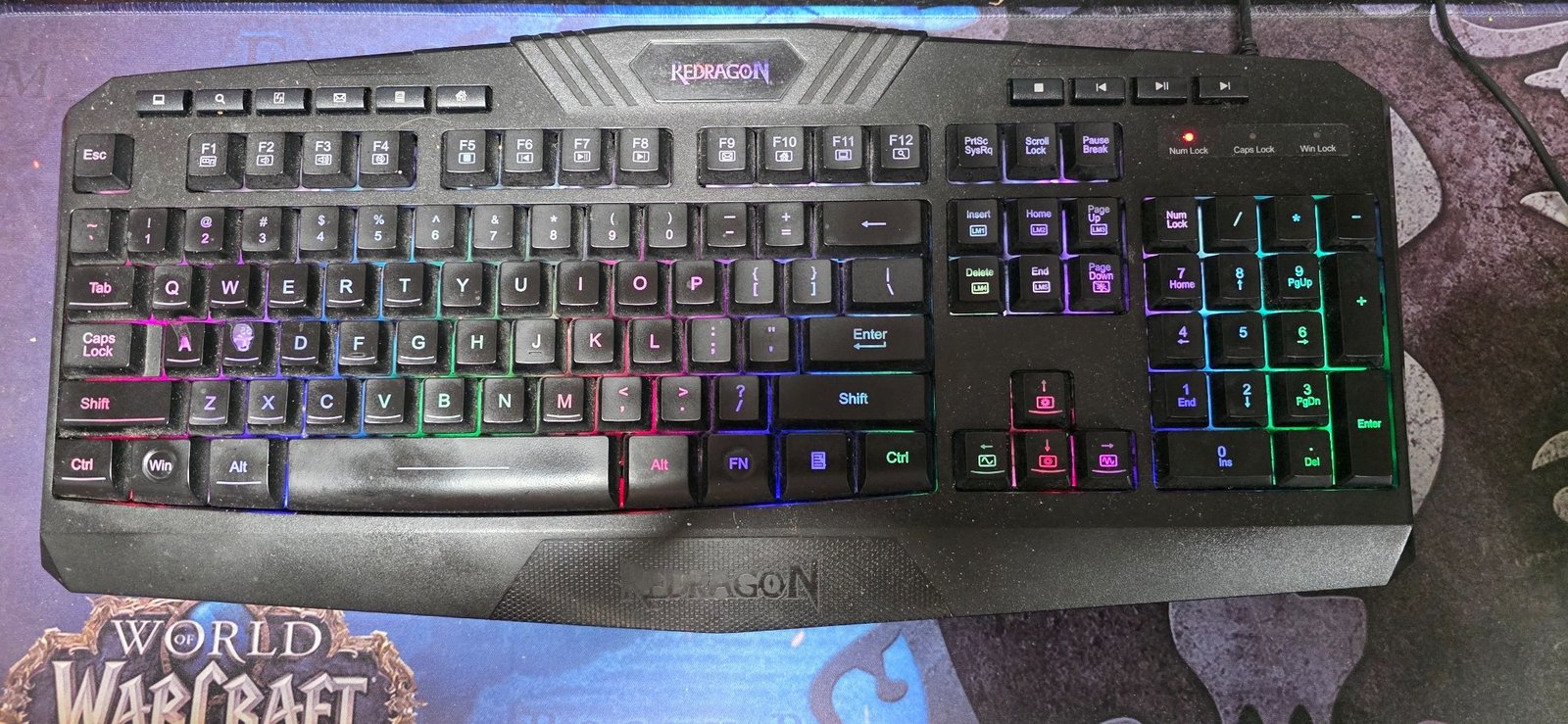
There is no reason to hide the wear. This is what long-term testing is supposed to show.
A clean product photo can tell you how a keyboard looks out of the box. This photo tells you what happened after years of gaming and workstation use. The legends aged before the hardware did.
Important distinction: The worn A and S legends are cosmetic. We have not experienced sticking, double inputs, missed inputs, failed switches, or other functional problems on the heavily used keys.
This keyboard did much more than gaming
Our test unit was purchased in December 2021 and remains in regular use today. It sits at a workstation rather than in storage, so the 2,500+ hour estimate includes the kind of mixed use most real computers actually see.
- World of Warcraft and our broader game rotation
- First-person shooters
- Research and web use
- Writing and word processing
- Photoshop and creative work
- General office/productivity use
- Music and media control
- Long daily workstation sessions
That matters because a keyboard can feel fine during a short gaming test and still become irritating after months of typing, number entry, repeated shortcuts, and daily work. The Harpe 2 has had years to expose those weaknesses.
No issues in WoW
World of Warcraft has not exposed a meaningful problem with the K503. Movement, modifiers, repeated ability presses, long play sessions, and ordinary menu/chat use have all worked normally.
There is no dramatic feature story here. We press the key and the game responds. After this much use, boring reliability is a compliment.
The keys feel slightly heavier, but normal gaming does not feel slow
Compared with our SteelSeries Apex Pro TKL Gen 3, the Harpe 2 keys feel slightly heavier. That difference is noticeable.
What we do not notice in ordinary use is some huge response-speed penalty. For general gaming, WoW, productivity, and everyday computer work, our tester does not perceive a meaningful responsiveness disadvantage.
That does not mean the keyboards are technologically equal. The Apex Pro offers adjustable actuation and Rapid Trigger. Those features are real. The question is whether your use actually benefits from them.
For first-person shooters, we choose the Apex
When we play first-person shooters, our tester uses the SteelSeries Apex Pro TKL Gen 3.
That is the clearest real-world case for spending more. Fast directional inputs, adjustable actuation, and Rapid Trigger matter more in games where movement precision and rapid key resets can influence play.
For a competitive FPS player, that can justify premium hardware. For someone playing casually, working all day, and rotating through different genres, the value equation changes.
Our takeaway: Premium keyboard technology is easiest to justify when you can point to the specific game or input behavior that benefits from it. Spending more just because a keyboard is labeled “gaming” is not a strategy.
The numpad is one of the reasons this keyboard is still at our workstation
Some gamers will see the K503's size as a weakness. We see it as a tradeoff.
For non-gaming work, the number pad is genuinely useful, and it is one of the main reasons this keyboard remains on this workstation instead of being replaced by a TKL board.
This is a good example of why keyboard recommendations should not start and end with competitive gaming. If the same computer handles work, numbers, research, creative software, communication, and games, a full-size layout can be more useful than the extra mouse space gained from a smaller keyboard.
The extra controls actually get used
The Harpe 2 has a lot of controls, and they have proven useful in more than one situation. Our tester regularly uses the keyboard to control music volume in the workspace.
That sounds mundane compared with adjustable actuation or high-end switches, but daily-use convenience matters. A feature you use every day can be more valuable than a premium feature you only open once in software.
Long sessions have not been a problem
We have not had a comfort issue with the keyboard during long sessions, but there is an important qualifier: our tester uses a separate memory-foam wrist rest, not the included Redragon rest.
The keyboard, wrist rest, and mouse sit together on a large skid pad. That setup helps keep everything planted, so we are not going to give the keyboard sole credit for never moving around the desk.
The board itself has felt solid. After years of use, it has not developed the kind of flex, creaking, or loose-feeling behavior that would make us want to retire it.
A little more key noise than our Apex
The Harpe 2 produces a little more key noise than the Apex Pro in our setup. We would not call it a deal-breaker, but buyers building a particularly quiet workspace should know that our premium board sounds a little more refined.
The lighting still has a practical job
We genuinely like illuminated keyboards and mice because our workstation sometimes gets used in lower-light conditions. The RGB is not just decoration for us; it makes the key area easier to see and keeps the setup usable without bright room lighting.
After years of ownership, the lighting remains functional. There are no dead lighting zones or flickering problems that have pushed us to replace the keyboard.
Exceptional for what we expected from a budget keyboard
We did not expect this keyboard to last this long.
That is probably the most important sentence in the review. A product does not have to feel luxurious to earn respect. It has to keep doing its job.
The K503 has done that through more than 2,500 hours of gaming and work. If this unit eventually develops a real problem, our tester would have no hesitation buying another Redragon budget keyboard.
Durability
No contest. The Harpe 2's biggest strength in our test is durability.
There are newer keyboards with better switches, better software, smaller footprints, faster gaming features, and more expensive construction. None of that changes the fact that this inexpensive keyboard has kept working since 2021.
Some people will hate the size
The Harpe 2 is a full-size keyboard with a number pad and lots of dedicated controls. It takes up desk space.
That works for us because the number pad is useful at this workstation. Someone focused on competitive shooters or a compact desk may strongly prefer a TKL or 75% layout.
Who should consider this kind of Redragon keyboard?
The Harpe 2 makes the most sense for budget-conscious gamers, casual and intermediate players, students, home-office users, first gaming setups, secondary PCs, and people who use the same workstation for both gaming and productivity.
It is especially easy to understand for someone who wants a full-size number pad and useful media controls without paying premium-keyboard prices.
Who should spend more?
Competitive FPS players, users who specifically want adjustable actuation or Rapid Trigger, people who want a compact TKL footprint, and buyers who care deeply about premium switch feel or higher-end materials have real reasons to move upmarket.
Same score, completely different reasons
| Question | Redragon Harpe 2 K503 | SteelSeries Apex Pro TKL Gen 3 |
|---|---|---|
| Our testing | 2,500+ hours since 2021 | 70+ hours |
| Everyday responsiveness | No meaningful issue for us | Excellent |
| FPS advantage | Basic membrane behavior | Rapid Trigger + adjustable actuation |
| Key feel | Slightly heavier | Smoother and more adjustable |
| Number pad | Yes — useful at our workstation | No |
| Desk footprint | Large | Smaller TKL layout |
| Long-term value | Exceptional in our test | Premium performance at premium cost |
A 92/100 on the Harpe 2 does not mean it equals the Apex Pro technologically. Forge Ratings judge what a product delivers for its intended buyer and price position. The Apex earns its score through advanced performance and features. The Harpe 2 earns its score by refusing to die.
The exact K503RGB-1 is hard to buy new — this is the current Redragon alternative
Transparency: The product in this section is not the keyboard we tested for 2,500+ hours. Our 92/100 score applies only to the K503RGB-1 shown in our long-term photo.
The K503RGB-1 now appears mainly through secondary-market sellers in the U.S. Rather than send readers toward an inflated used listing, the current Amazon listing supplied to us and the matching Newegg listing point to Redragon's S101-4 gaming keyboard-and-mouse combo, a closely related budget full-size setup.
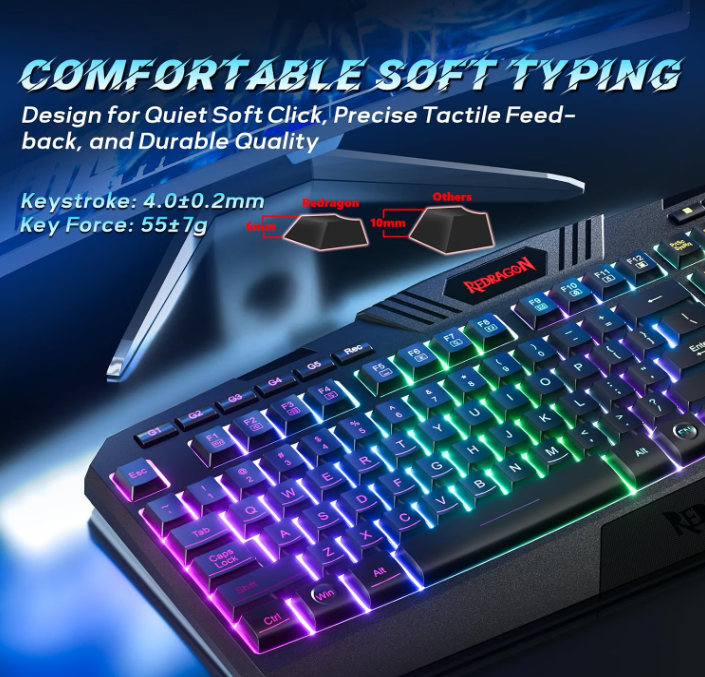
The current combo keeps the same general idea — a full-size wired RGB membrane keyboard for gaming and everyday work — but adds a more developed software and bundle package.
- Keyboard software support for lighting effects and macro/key-function customization
- Five macro record keys on the current S101-4 listing
- Six keyboard RGB modes plus software lighting control
- 26-key anti-ghosting on the current listing
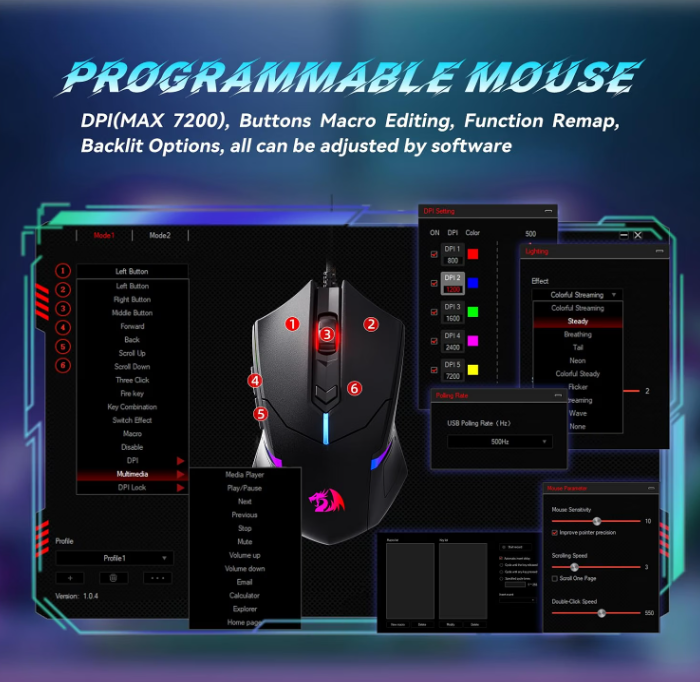
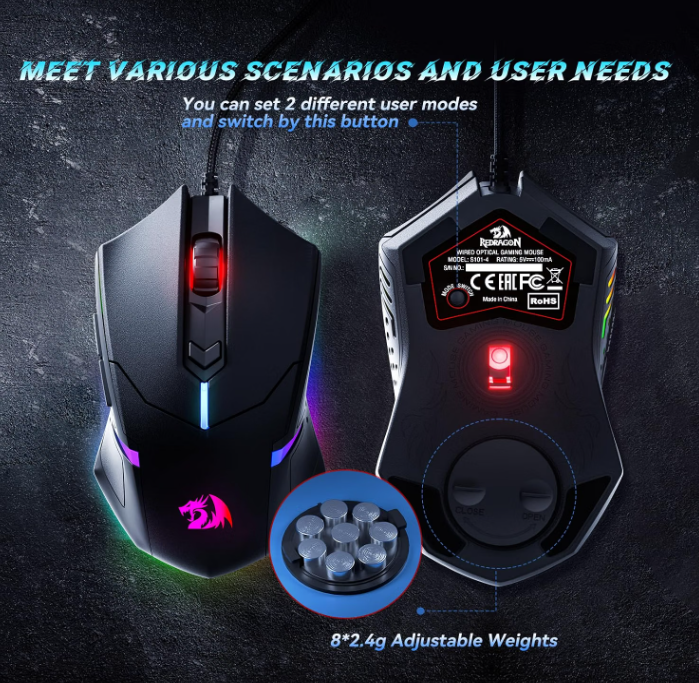
- Programmable RGB mouse included
- Up to 7,200 DPI on the bundled mouse
- Mouse button remapping and macros through software
- Ten mouse lighting modes
- Adjustable mouse weights shown in the retailer graphics
Those are meaningful additions for someone buying a complete setup today, but we are not transferring four years of K503 durability data onto a newer combo we have not personally tested.
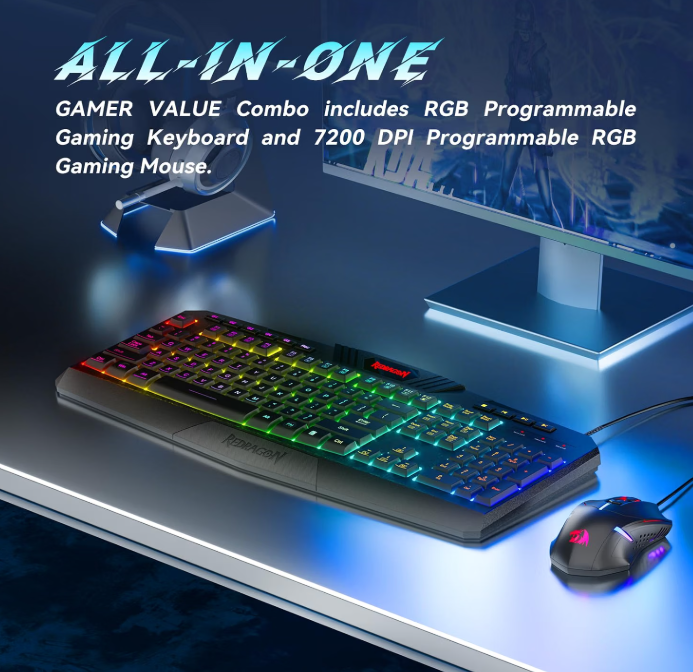
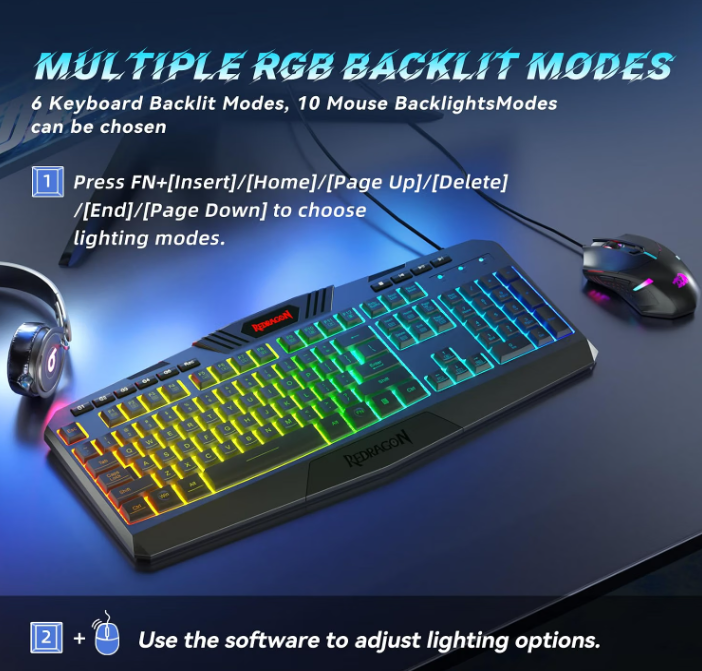
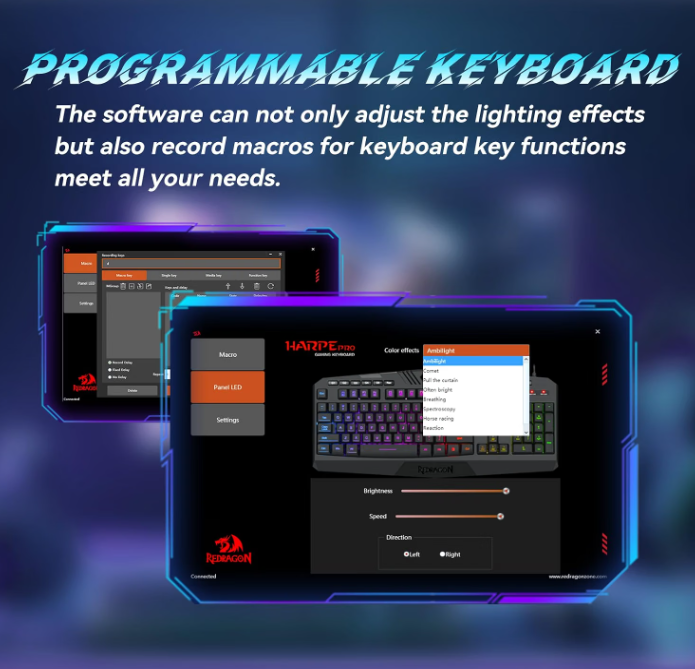
Current-alternative feature claims were checked against Redragon's S101-4 software/download page and a current Newegg S101-4 listing. Retailer availability, seller, and price can change.
What held up — and what did not
The letters wore off before the keyboard did
The Redragon Harpe 2 K503 does not earn a 92/100 Forge Rating because it is the most advanced keyboard we own. It is not.
It earns the score because it has delivered extraordinary value in the real world. Purchased in December 2021, used for more than 2,500 hours, and still serving as an active gaming-and-work keyboard, it has given us essentially everything we could reasonably ask from inexpensive hardware.
The worn A and S legends are the clearest sign of age. Functionally, the keyboard is still doing its job.
If it died tomorrow, we would consider buying another Redragon without hesitation.
Forge verdict: You do not need an expensive gaming keyboard just because you spend a lot of time at your computer. You need a keyboard that fits the way you actually use it. For our workstation, this one has done that for years.
Keep comparing
What came from our unit vs product documentation
Our durability, key wear, comfort, noise, gaming, workstation, RGB, and value conclusions come from our own K503RGB-1 and long-term use. Harpe 2 family specifications such as membrane actuation, full-size format, USB connectivity, RGB lighting, ABS construction, laser-marked keycaps, adjustable height, and rollover support were cross-checked against current Redragon Harpe 2 product documentation.
Current-alternative features were checked against Redragon's S101-4 software/download page and the current S101-4 Newegg listing.
Redragon Harpe 2 K503 family product reference
Redragon S101-4 software/download reference