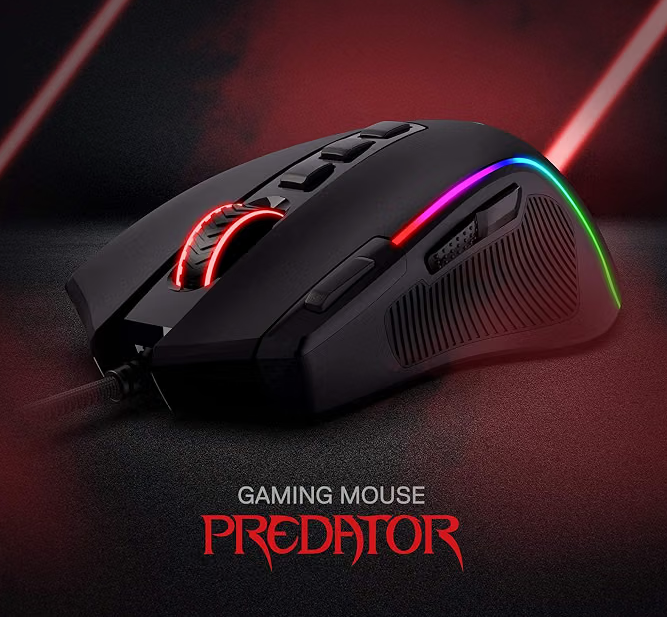
A budget mouse that has already proven its durability
After more than 700 hours of use, the most impressive thing about the Redragon M612 Predator is not its RGB, its 8,000-DPI ceiling, or the number printed beside its programmable controls. It is that this inexpensive mouse has lived on a daily-use workstation since September 2024 and has simply kept working.
We have used it for gaming, World of Warcraft, general PC work, research, word processing, image work, and the kind of mixed work-and-play days that rack up hours quickly. We have not experienced double-clicking, missed clicks, sensor weirdness, or cable failure. Every control we regularly use remains comfortably reachable.
Bottom line: The M612 is not a replacement for a premium six- or twelve-button MMO mouse if you already depend on that control depth. But for a beginner, casual player, budget-conscious gamer, travel/backup setup, or mixed-use workstation, it delivers far more value than its price suggests.
Excellent value and proven long-term durability, with points left on the table mainly because the scroll wheel feels less refined than newer premium mice and MMO specialists offer deeper thumb-button layouts.
More controls than the price suggests
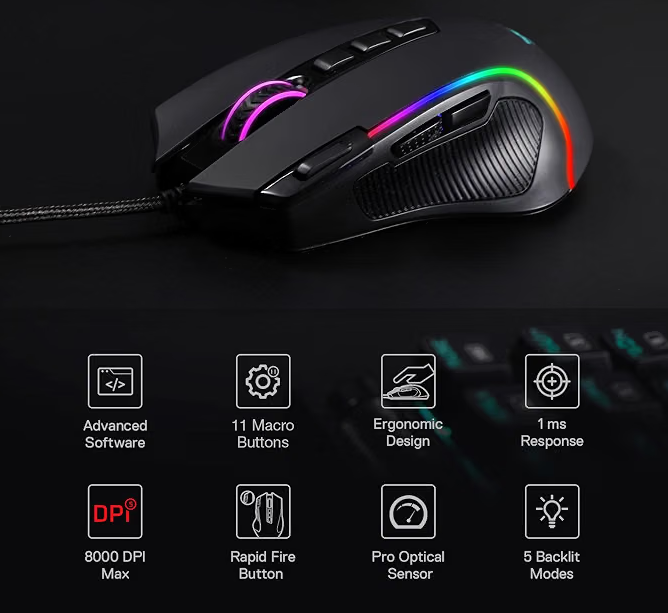
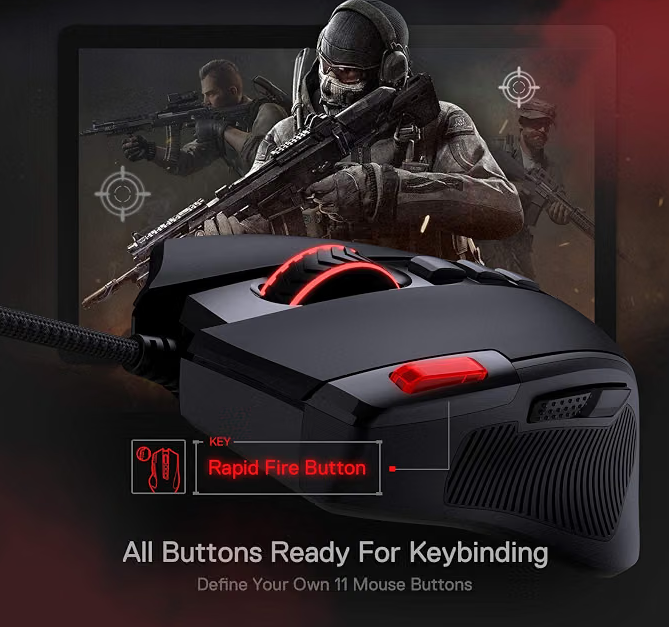
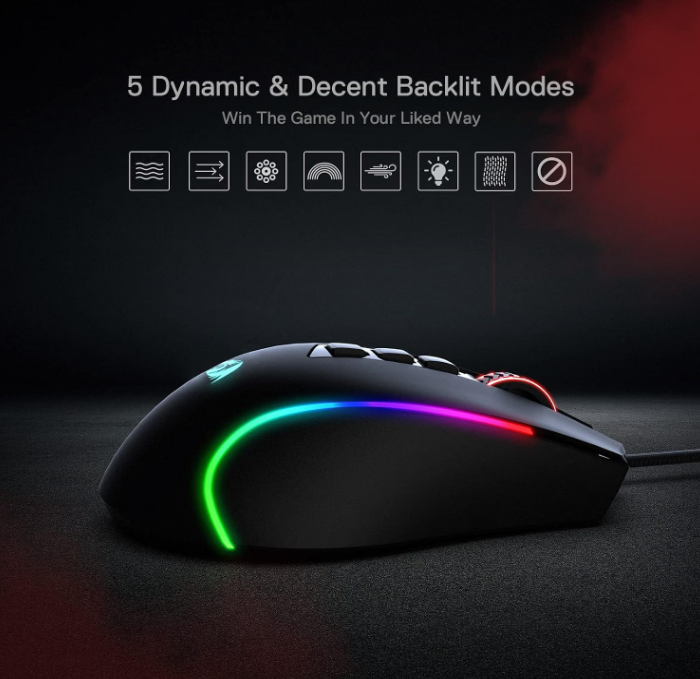
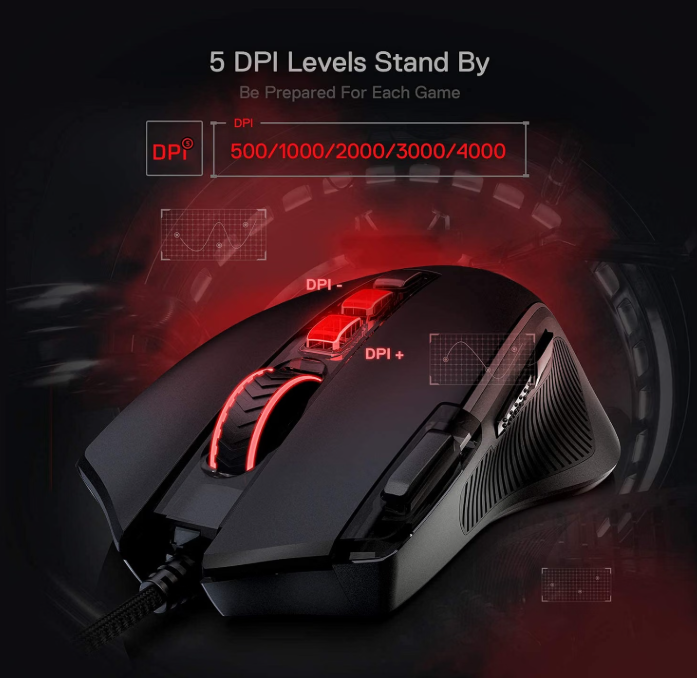
Redragon lists the M612 Predator with 11 programmable buttons, five backlight modes, software-based key remapping and macros, a rapid-fire control, adjustable report rate, onboard profile support, and DPI adjustment from 500 up to 8,000. The five default DPI stages are 500, 1000, 2000, 3000, and 4000, while the software allows further tuning up to 8,000.
Those specifications matter, but after hundreds of hours the feature that matters more to us is placement. On our older CyberPowerPC budget mouse, one isolated thumb control sat just far enough forward that it was awkward to reach. On the M612, the controls we use are within comfortable reach. That makes the extra buttons more useful in real play instead of merely looking good on a product page.
This was not a weekend test
Our M612 has been in service since September 2024. It lives on a workstation, which means the mouse is not waiting in a drawer between gaming sessions. It gets used day after day for projects, research, documents, image work, browsing, and games.
That matters when evaluating budget equipment. A cheap mouse can feel perfectly fine during the first week. The more useful question is whether the switches, sensor, cable, coating, buttons, and scroll wheel still feel usable after the novelty disappears.
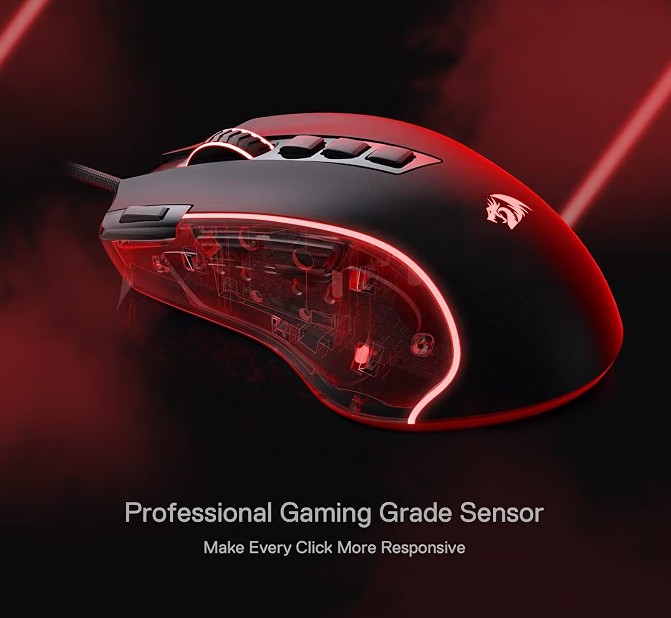
So far, the M612 has been unusually dependable for its price class. There has been no double-click problem, no recurring missed input, no sensor instability, and no reason to retire it. The braided cable has held up well in our setup.
We also have no small children or pets pulling on the cable, which is worth mentioning. Cable durability in a normal workstation is one thing; surviving a curious pet is an entirely different certification program.
It fits the hand and disappears into the work
The M612 fits our hand appropriately, and long sessions have not created a meaningful comfort problem. Its weight has not bothered us either.
That is one of those qualities that can sound boring on paper but matters enormously over time. Good ergonomics often do not announce themselves. You simply stop thinking about the mouse and keep playing or working.
The textured side and sculpted right-handed shape give the hand a secure place to sit, and the button positioning is more successful for us than on some other inexpensive mice we have owned.
Can the M612 handle WoW?
Yes. We used this class of affordable multi-button mouse for World of Warcraft before moving deeper into the Razer Naga ecosystem, and the M612 remains perfectly capable of playing WoW today.
The distinction is control depth. After becoming accustomed to the six-button side plate on our Naga V2 Pro and V3 Pro, moving back to a simpler layout is immediately noticeable. A Naga makes more commands available directly under the thumb, which is useful for rotations, interrupts, defensives, utility, and movement-related actions.
That does not mean a new WoW player needs a premium MMO mouse. A lower-cost mouse with reachable extra controls can be an excellent starting point, especially when keyboard modifiers and sensible keybinds do the rest of the work.
Our advice: Start with controls you can reach comfortably. Upgrade when you can explain exactly which additional actions you want under your thumb—not because somebody told you MMO players are required to own a 12-button grid.
Useful when you need it, ignorable when you don't
We do use the DPI controls, depending on the game. That is how we prefer adjustable DPI to behave: available when a particular game or task benefits from a change, but not something that needs constant attention.
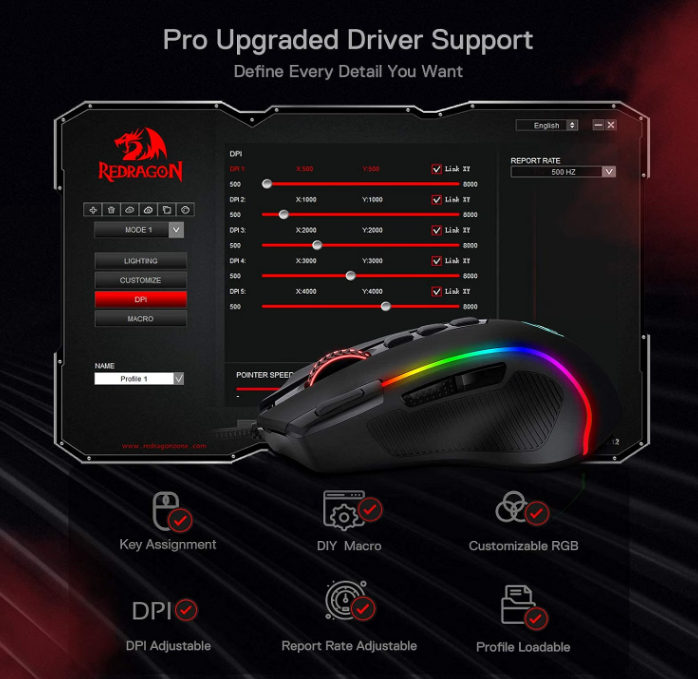
Redragon's software allows the five DPI stages to be redefined and provides button remapping, macros, RGB customization, report-rate adjustment, and profile management. You can go deeper if you enjoy tuning hardware, but the mouse remains useful without turning setup into a hobby.
The scroll wheel is where premium mice pull away
The biggest weakness is familiar from our other inexpensive mice: the scroll wheel feels less responsive and less sophisticated than the wheels on newer premium models.
It still works. After 700+ hours, this is not a failure story. It is a refinement story.
Once you spend substantial time with newer high-end mice, better wheel mechanisms, richer control options, and more polished tactile feedback become easier to notice. The M612 does the basic job, but this is one area where spending more money can produce a legitimately better experience.
For us, the lighting is not completely pointless
RGB is easy to dismiss as decoration, but our setup is not a dedicated gaming room and we sometimes work or play in low-light conditions. We prefer both the keyboard and mouse to provide some visible illumination.
Five lighting modes will not improve your aim, but equipment lives on your desk for hundreds of hours. It is perfectly reasonable to care about how it looks and whether the lighting helps you orient yourself when the room is dim.
Cheap does not mean equal—but expensive does not mean necessary
| Question | Redragon M612 | Naga V2/V3 Pro |
|---|---|---|
| Reachable extra controls | Good for our hand | Deeper MMO layouts and swappable side plates |
| Long-session comfort | Good in our use | Excellent, especially V3 for us |
| Scroll-wheel refinement | Functional, less sophisticated | Noticeably more advanced |
| WoW command depth | Enough for casual/intermediate setups | Much stronger for heavy thumb binding |
| Value | Outstanding | Premium features at a premium price |
If your current mouse gives you enough controls, fits your hand, and behaves reliably, you are not gaming incorrectly because somebody else's mouse costs five times more.
Who should consider the Redragon M612?
We think the M612 makes the most sense for beginner-to-intermediate casual players, price-conscious gamers, mixed work-and-play PCs, backup systems, and anyone who wants more controls without immediately jumping into premium-mouse pricing.
It can also make sense for WoW players who are still learning what they actually want from their control layout. You may eventually discover that a six-button or twelve-button side panel transforms the way you play. Or you may discover that you never needed one.
The player who should skip it is not defined by skill level. It is the person whose preferred control style already demands features the M612 does not provide. Gaming gear is deeply personal: a $20 mouse that fits your hand and your habits is better for you than a $200 mouse that does not.
At budget pricing, this is easy to recommend
Redragon continues to sell the M612 Predator as an inexpensive wired model. Pricing changes frequently, so we do not bake a temporary sale price into our rating. At the roughly $20-$25 range where this mouse commonly competes, our answer is straightforward: yes, it is a good investment.
Even if it eventually becomes a backup or travel mouse after you upgrade, getting hundreds of useful hours from something this affordable changes the value equation completely.
700+ hours later, the M612 has earned its 90/100
The Redragon M612 Predator does not earn a 90/100 Forge Rating because it matches a modern premium MMO mouse feature-for-feature. It does not.
It earns the score because of what it has delivered at the inexpensive end of the market: long-term reliability, comfortable daily use, reachable extra controls, useful DPI adjustment, RGB we actually appreciate, and enough flexibility to move between gaming and ordinary workstation duty without becoming annoying.
The scroll wheel feels dated next to premium hardware, and serious MMO players may eventually want a much deeper thumb layout. Those are real limitations.
But after 700+ hours, we are still using it.
Forge verdict: You do not need an expensive mouse to be a serious gamer. Buy the controls you need, prioritize comfort, and upgrade when your current gear actually gets in your way.
Keep comparing
Specifications checked against Redragon
Feature claims such as the 11 programmable buttons, five default DPI levels, software adjustment up to 8,000 DPI, RGB modes, remapping, and adjustable report rate were checked against Redragon's current M612 Predator product information. Our comfort, reliability, gaming, and value conclusions come from our own unit and long-term use.